Why Your Agentforce Pilot Stalled at Scale (And How to Fix It)
Most Agentforce pilots hit a wall at production scale. The problem isn't the platform. It's the architecture underneath it. Here's what breaks and how to fix it.
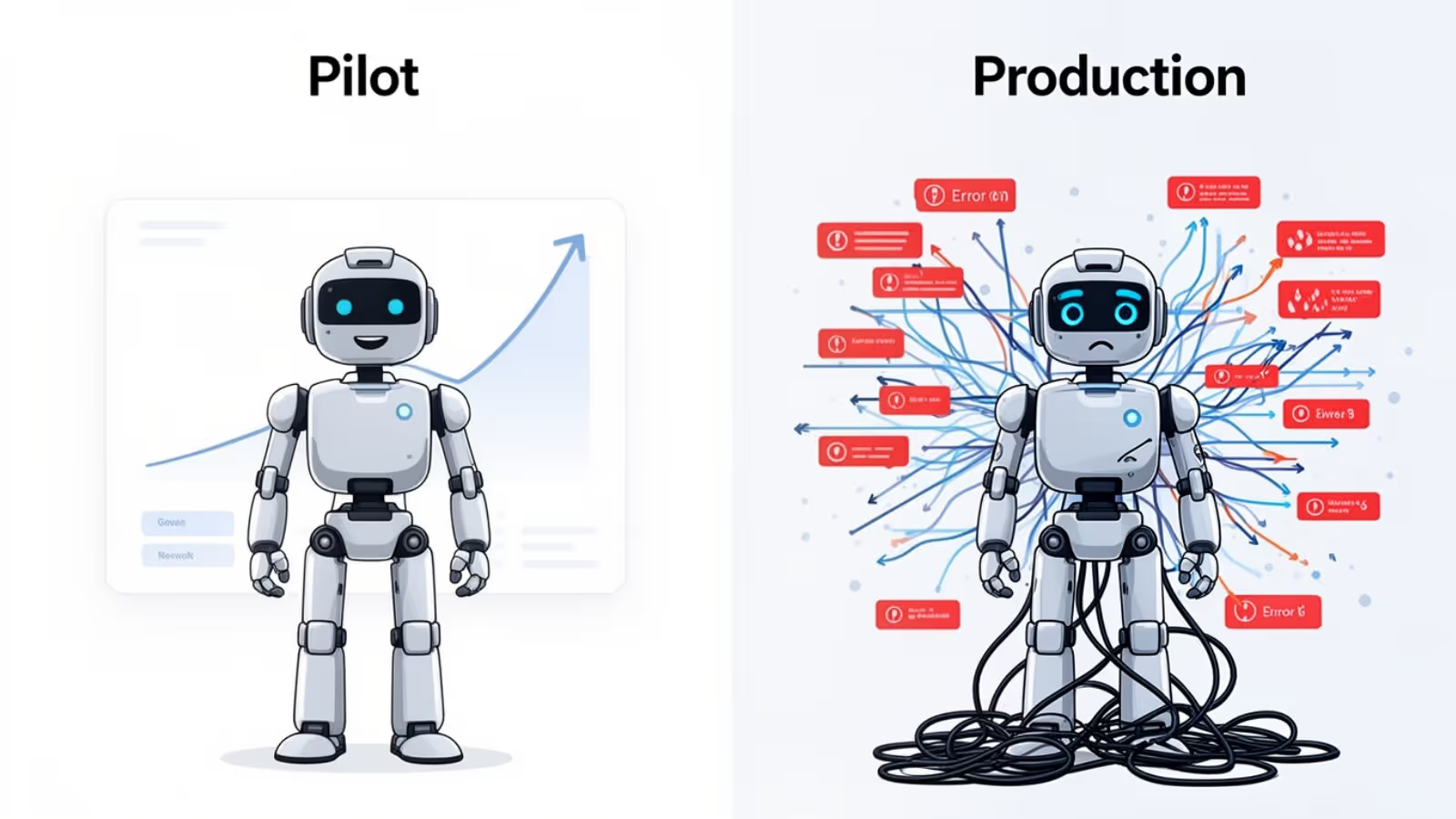
Your Agentforce pilot worked.
The demo was clean. Stakeholders were impressed. Accuracy numbers looked promising.
Then you tried to scale it. Everything stalled.
Accuracy slipped. Escalations increased. The business started questioning the investment.
You're not alone.
This pattern shows up across Salesforce orgs repeatedly: strong pilot results, then a hard wall at production scale. And the problem almost never lives in Agentforce itself.
It lives in the architecture underneath it.
The gap between a pilot that looked promising and one that sustains 95%+ accuracy consistently comes down to three failure points and one missing piece of engineering that ties them together.
Why Pilots Look Good, and Production Doesn't
A pilot is a controlled environment.
You're testing against curated data. Stakeholders understand the system. Edge cases haven't surfaced yet. The agent is operating under ideal conditions.
Production is the opposite.
Real users behave unpredictably. Data is messy. Volume isn't 50 test cases. It's hundreds or thousands of interactions per week, each carrying its own nuance.
An agent that wasn't engineered for that environment will degrade under it.
That's not a Salesforce problem. That's an engineering problem.
The Three Failure Points We See Every Time
1. Prompts Built for Happy Paths, Not Ambiguity
Most pilot prompts are written for the expected case: the clean request, the standard format, the user who knows exactly what they want. That might cover 60–70% of real-world volume.
The remaining 30–40% is where accuracy collapses.
Take an SDR agent handling inbound leads. The happy path is easy: prospect fills out a form, expresses clear interest, gets routed to a rep. The agent handles that fine.
But then:
- A prospect replies "not right now." Is that a disqualification or a nurture?
- Someone asks a detailed technical question. Is that high intent or just research?
- A reply comes in from a colleague at the target account, not the original contact.
- An out-of-office auto-reply gets classified as a real response.
We broke down this exact classification problem in Detecting Spam with Agentforce.
Prompts that aren't engineered for ambiguity will over-classify (routing noise to reps) or under-classify (letting warm leads go cold). Both are expensive.
Production-grade prompt engineering accounts for ambiguity, state-based guardrails, and business context, not just language patterns.
2. Classification Logic Trained on Generic Templates, Not Your Data
Generic classification models are trained on generic data.
If your org has unique terminology, custom object relationships, workflow dependencies, or edge-case-driven automation, the model is essentially guessing.
We've seen intent classification perform well in a demo, then fail when exposed to real communication patterns: replies that are polite but not interested, messages that look like objections but signal genuine curiosity, or system-generated responses that get treated as human intent.
The fix isn't copying a better template.
The fix is grounding your prompt templates in your historical data, validating them against real failure patterns, and refining them continuously. That requires engineering discipline, not configuration.
3. No Structured Feedback Loop
An agent without a feedback loop does not improve.
It will make the same misclassification tomorrow that it made today. Over time, accuracy doesn't just drift. It compounds downward as new edge cases emerge with no mechanism to learn from them.
Most teams launch, monitor high-level accuracy, and stop there. They don't operationalize improvement.
An agent that can't learn from its own misses isn't an AI asset. It's an expensive rule engine.
The Mechanical Layer: How You Actually Improve It
Every team starts here with the same question: how do I know a prompt change made things better and not worse?
Out of the box, the answer is Agentforce Grid. It lets you run prompts against sample datasets, eyeball edge cases, and compare versions in the UI. For a pilot, that's enough. It's the right place to start.
It's not where production-scale orgs finish.
Grid is interactive and manual by design. When you're regression-testing a prompt template against thousands of historical cases on every change, you need the evaluation loop to live in your org as code: unattended, version-controlled, and gated like any other deployment.
That's where the Connect API comes in.
Treating Prompts Like Code You Can Test
Salesforce exposes prompt template execution to Apex through the Connect API. A single call:
ConnectApi.EinsteinPromptTemplateGenerationsInput input =
    new ConnectApi.EinsteinPromptTemplateGenerationsInput();
input.additionalConfig = new ConnectApi.EinsteinLlmAdditionalConfigInput();
input.inputParams = buildParamsFromRecord(testCase);

ConnectApi.EinsteinPromptTemplateGenerationsRepresentation result =
    ConnectApi.EinsteinLLM.generateMessagesForPromptTemplate(
        templateId, input
    );
It runs a real prompt template, through the Einstein Trust Layer, against any record's data, and hands you the model's response in Apex. No data leaves your org. The same governance, grounding, and masking your live agent uses applies to every test.
That one call is the building block for a custom evaluation framework. Here's the shape of it.
A Custom Apex Evaluation Framework
Stand up a custom object (call it Prompt_Test__c) where each record is a single test case:
- Inputs: the fields that feed the prompt (the inbound message, the related record context, lead state).
- Expected output: the correct classification or response, drawn from a real historical case you already know the answer to.
- Prompt version: which template version this case is being scored against.
- Actual output and Pass/Fail: written back by the framework after each run.
Then a batch Apex job does the work:
- Build the test set. Export misclassified and edge-case interactions from production and load them as
Prompt_Test__crecords. Your regression suite grows from real failures, not hypotheticals. - Run them through the Connect API. The batch iterates the test cases, calls
generateMessagesForPromptTemplatefor each, and captures the live model response under Trust Layer governance. - Score automatically. Compare each response to the expected output, write
Actual_Output__c, and flagPassed__c. Exact-match for classification; tolerance-based or LLM-as-judge scoring for free-text. - Aggregate by version. Roll up pass rate per prompt version so you see, objectively, whether v4 beat v3 and exactly which case types it regressed.
Now your improvement loop is mechanical, not anecdotal:
- Export misclassified cases into
Prompt_Test__c. - Iterate the prompt template.
- Run the batch against the full suite.
- Compare pass rates across versions.
- Deploy only when the numbers improve, and only after the suite confirms you didn't break a case you'd already solved.
That's engineering. Batch Apex respects governor limits, so the same framework that validates 50 cases validates 5,000. It runs on a schedule, it's version-controlled alongside the rest of your codebase, and it can gate a deployment in CI the same way unit tests do.
Without a loop like this, you're tuning prompts on vibes. That's exactly how pilots stall in production.
What Production-Ready Architecture Actually Looks Like
Organizations that sustain 95%+ accuracy treat Agentforce like a living system, not a one-time configuration.
That means prompt engineering designed for ambiguity, guardrails tied to object state and workflow logic, templates grounded in real historical data, and a code-level evaluation framework, built on the Connect API, that regression-tests every change before it ships.
Launch is the beginning, not the end.
The teams that extract long-term value treat it that way.
This isn't theoretical. We built exactly this for an online used-car marketplace: production prompt engineering, Trust Layer grounding, and an Apex evaluation loop. It's holding above 95% accuracy in production. See how we wired it together for the Case Triage Service Agent.
How to Know If You Have an Architecture Problem
A few questions worth asking about your current deployment:
- Has accuracy degraded since launch?
- Are there recurring case types that consistently misclassify?
- Do you know exactly why your top failures occur?
- When a misclassification happens, does it become a permanent test case, or just a one-off fix?
- Can you prove a prompt change improved accuracy before it reaches production, against thousands of real cases?
If you can't answer those clearly, you don't have an AI problem.
You have an engineering gap. It's fixable.
The Bottom Line
Agentforce is a capable platform. But platform capability doesn't guarantee production success.
The difference between a pilot that impressed the room and a production system that sustains 95%+ isn't budget or luck. It's prompt engineering built for real-world ambiguity, templates grounded in your org's actual data, and an evaluation framework that treats prompts like testable code: running them through the Connect API, scoring them against real history, and gating every release on measured improvement.
If your pilot worked but scale is the question, or if you want to build it right from the start, that's exactly what BigSolve does.

Get Started with an Expert-Led Discovery