Migrating Validation Rules from Apex to Flow
Migrate Validation Rules from Apex to Flow's Custom Error Element.
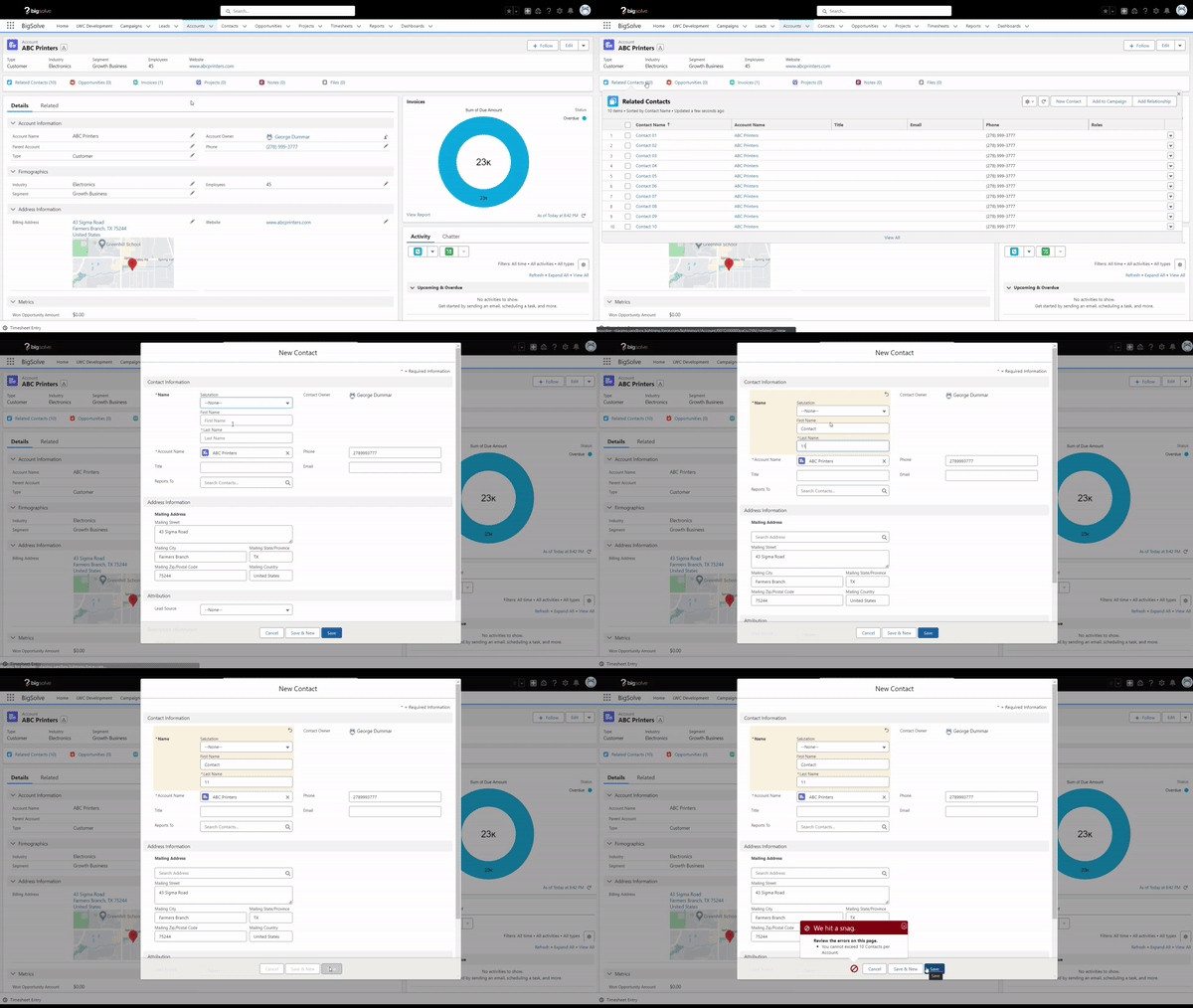
In an attempt to demonstrate Flow's Custom Error element, let's walk through a hypothetical example of how this can be used in place of some legacy Apex code. Our goal is to create validation logic that prevents Users from storing more than 10 Contacts per Account.
Apex
Firstly, let's see how this could be done using Apex's addError() method:
ContactTrigger
trigger ContactTrigger on Contact (after insert, after update) {
	// Validate Number of Contacts
	ContactTriggerHandler.validateNumberOfContacts(Trigger.new);
}
ContactTriggerHandler
public class ContactTriggerHandler {

    // Method to validate the number of Contacts per Account
    public static void validateNumberOfContacts(List<Contact> contacts) {

        // Create a set to store Account IDs
        Set<Id> accountIds = new Set<Id>();

        // Populate the accountIds set with Account IDs from the Contact records
        for(Contact record : contacts) {
            accountIds.add(record.AccountId);
        }

        // Remove null values from the accountIds set (Contacts without an associated Account)
        accountIds.remove(null);

        // Create a map to store Account IDs and their corresponding Contact counts
        Map<Id, Integer> accountToContactCount = new Map<Id, Integer>();

        // Query to count Contacts per Account and filter Accounts with more than 10 Contacts
        for(AggregateResult aggResult : [
            SELECT AccountId, COUNT(Id) contactCount
            FROM Contact
            WHERE AccountId IN :accountIds
            GROUP BY AccountId
            HAVING COUNT(Id) > 10
        ]) {
            accountToContactCount.put((Id)aggResult.get('AccountId'), (Integer)aggResult.get('contactCount'));
        }

        // Loop through the Contacts and add an error message if the Account exceeds the limit
        for(Contact record : contacts) {
            if(accountToContactCount.containsKey(record.AccountId) && accountToContactCount.get(record.AccountId) > 10) {
                record.addError('You cannot exceed 10 Contacts per Account.');
            }
        }
    }

}
Flow
And finally, we can make use of Flow's Custom Error element to fulfill the same set of requirements:

Here are the Flow Elements in play:
- Start Criteria
- Get Contacts (Get Records)
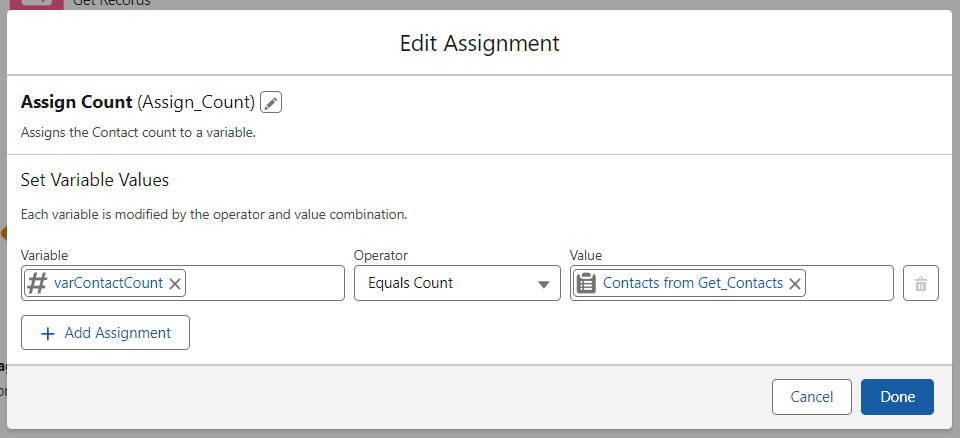
- Assign Count (Assignment)
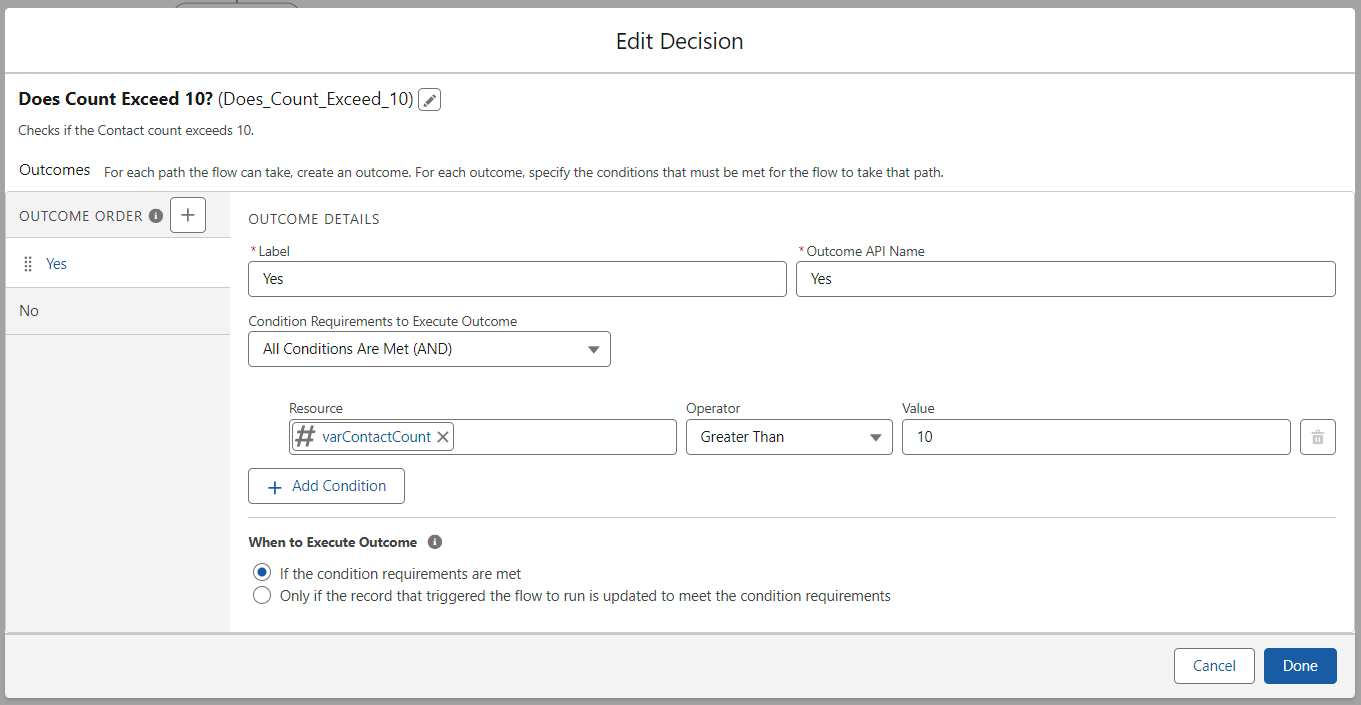
- Does Count Exceed 10? (Decision)
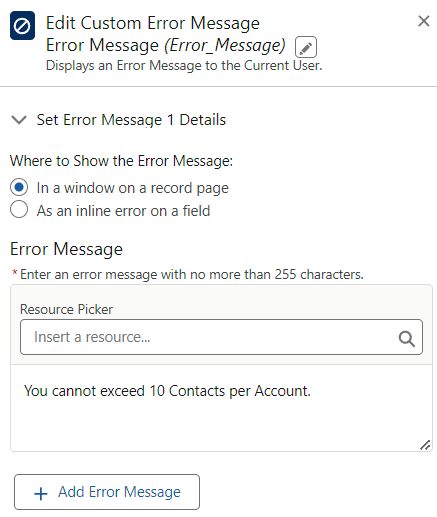
- Error Message (Custom Error)
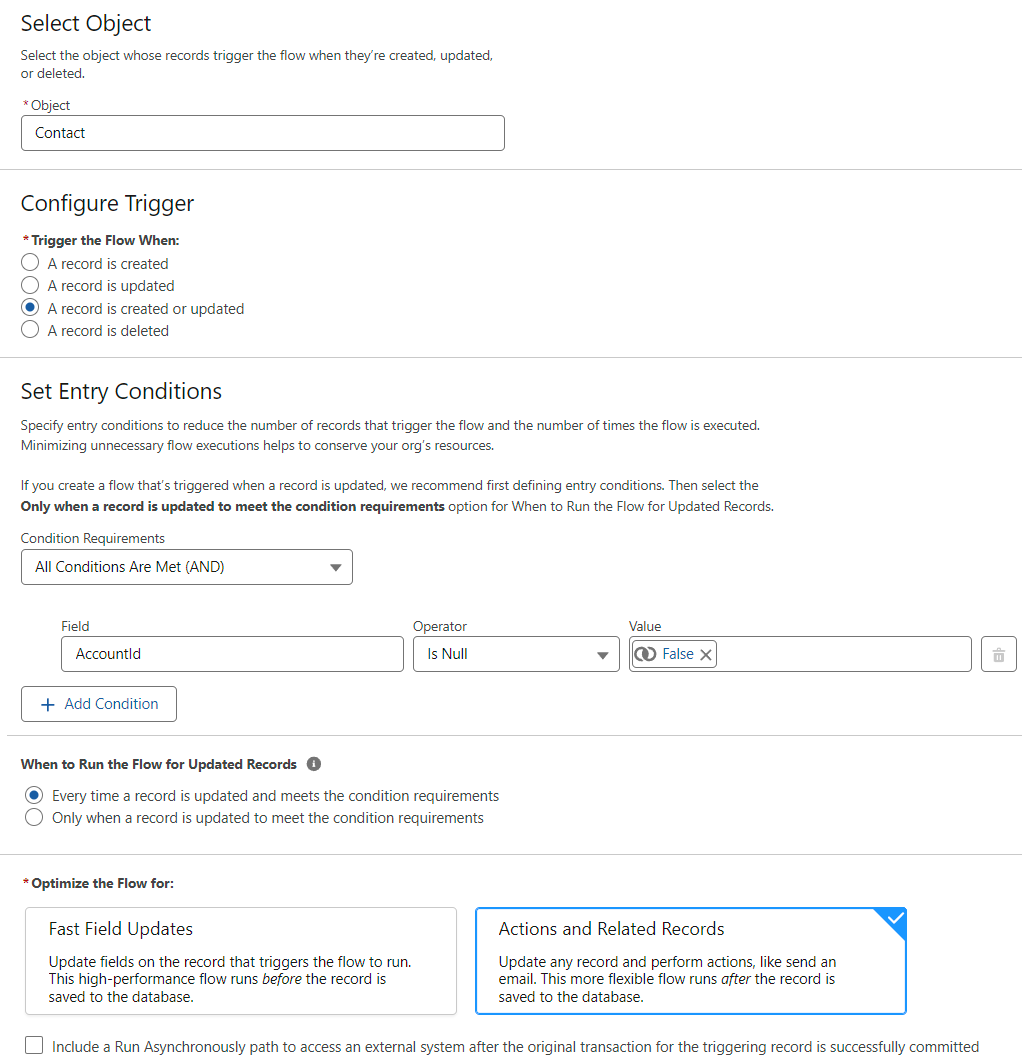
Ensure that the AccountId value is not null:
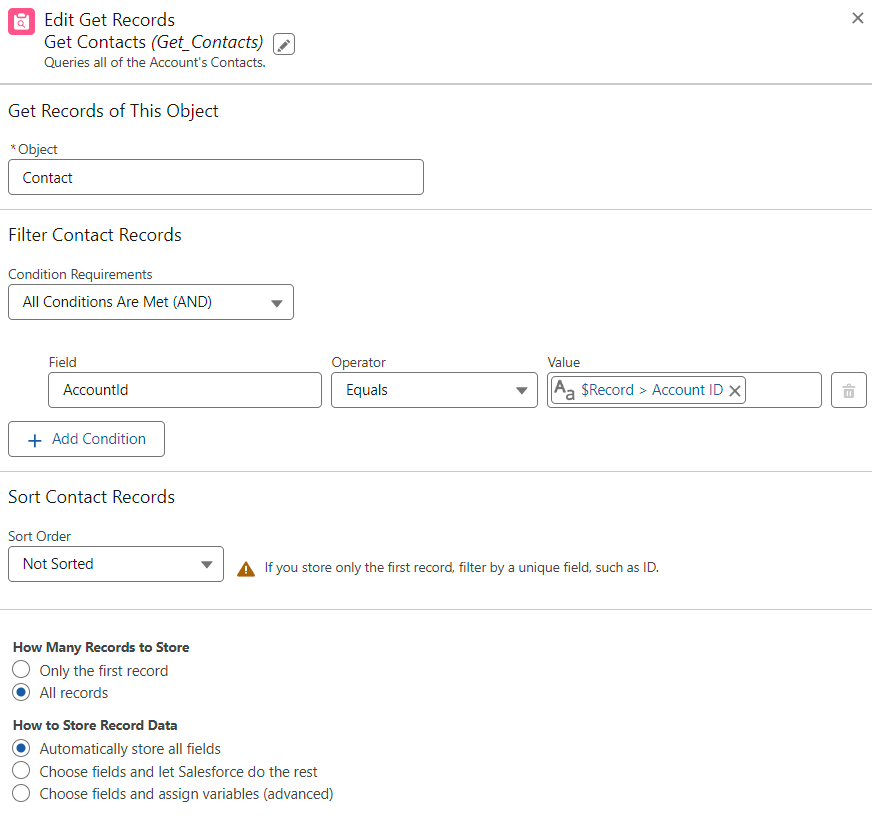
Query the Account's related Contacts:
Assign the count of Contacts to a variable:
Check to see if the count exceeds 10:
If the count exceeds 10: generate an Error Message for the User:
In an effort to reduce programmatic overhead, Salesforce Administrators can utilize Flow's Custom Error element in place of validations that used to require Apex Code.




Get Started with an Expert-Led Discovery