Conditional Visibility for Tabs in Lightning App Builder
Let's learn how to conditionally display Tabs to Users via the Lightning App Builder.
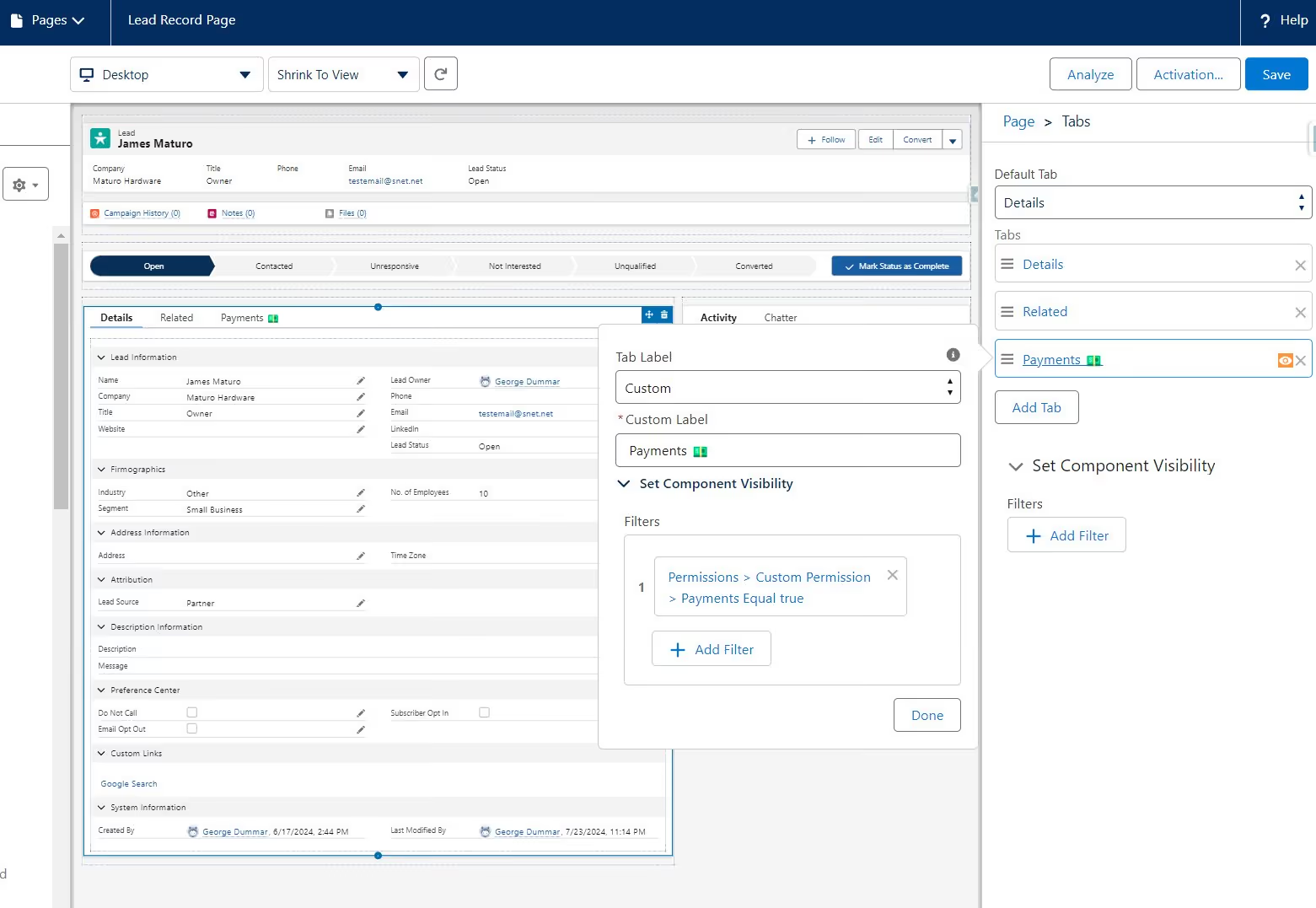
A Lightning record page can show or hide an individual Tab based on who is viewing the record or what the record contains. Before Summer '24, visibility rules only reached components, so a Tab was all or nothing for everyone who could open the page.
That granularity is what makes the difference. Administrators can now show or hide entire Tabs based on profile, permission, record field values, or device.
What Does This Mean for You?
Personalized User Experiences: Tailor the interface to specific user roles, permissions, or record attributes. For instance, hide the "Sales" Tab for support agents or display the "Marketing" Tab only for marketing teams.
Reduced Clutter: Avoid overwhelming users with irrelevant information by displaying only the necessary Tabs. This enhances focus and productivity.
Dynamic Layouts: Create adaptive pages that adjust based on changing conditions, such as record status or data values.
Before You Start: Two Constraints
This works on record pages. Tab-level visibility applies to Tabs on record pages. App pages and Home pages are not associated with an object, so the conditions available there are limited to contexts like User, User Permission, and Device rather than record fields.
Dynamic Forms on Mobile has to be enabled first. Find it under Setup > Salesforce Mobile App. If the visibility option does not appear on your Tab, this is usually why.
How It Works
To set conditional visibility for a tab:
- Navigate to the Lightning App Builder
- Open the record page containing the Tab you want to control
- Select the Tab and access its properties
- Configure the visibility conditions using criteria like record fields, user profiles, or other relevant factors
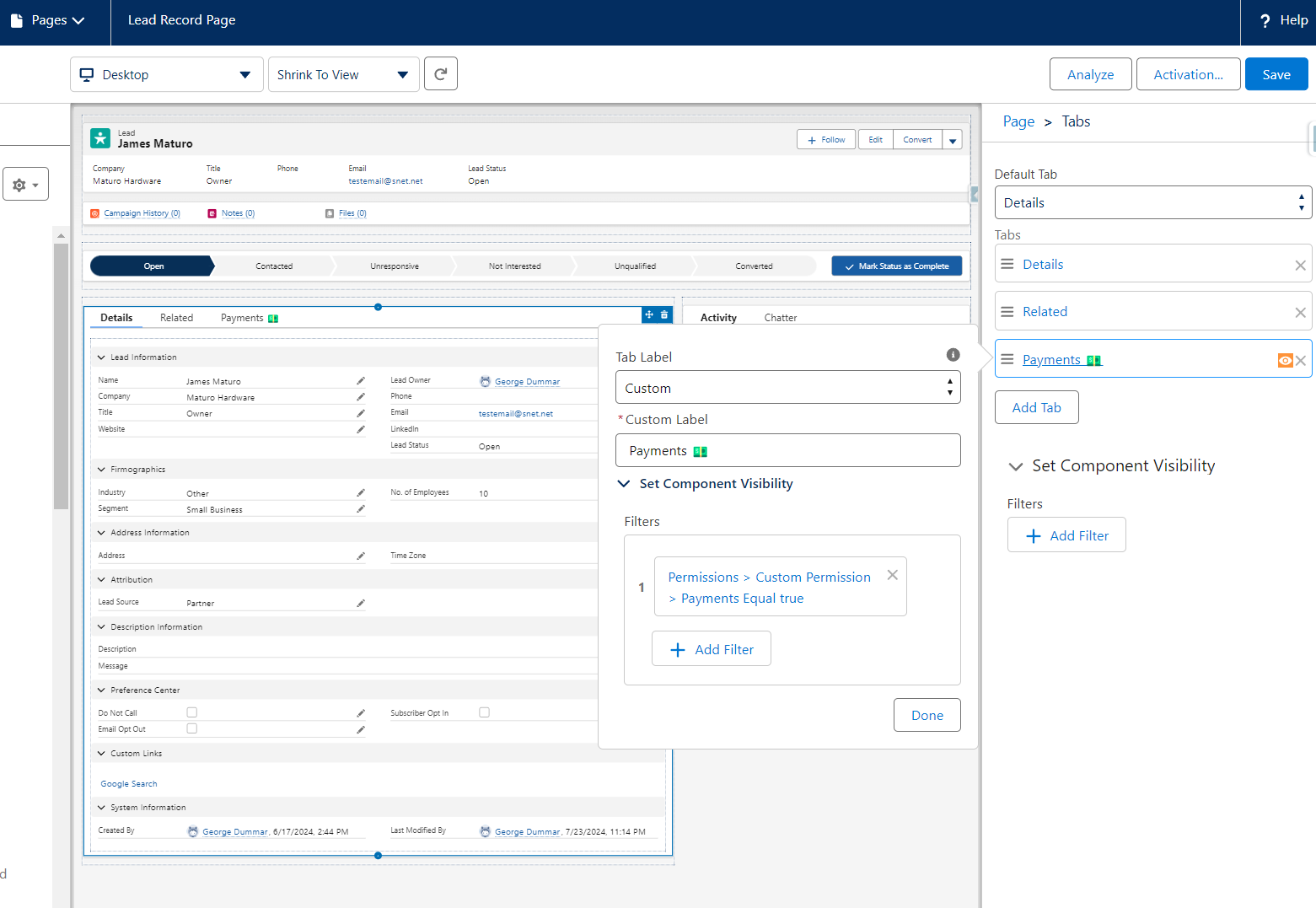
One thing worth being clear about: hiding a Tab is a user experience control, not a security control. It changes what a user sees on the page, not what they can access. Object, field, and record access still come from profiles, permission sets, and sharing.
Used well, conditional Tab visibility makes record pages more efficient and less cluttered, and lets one page serve several audiences instead of forcing a separate page per profile.



Get Started with an Expert-Led Discovery